AI Fashion Model Generator: Flat Lay to On-Model Guide
·8 min read
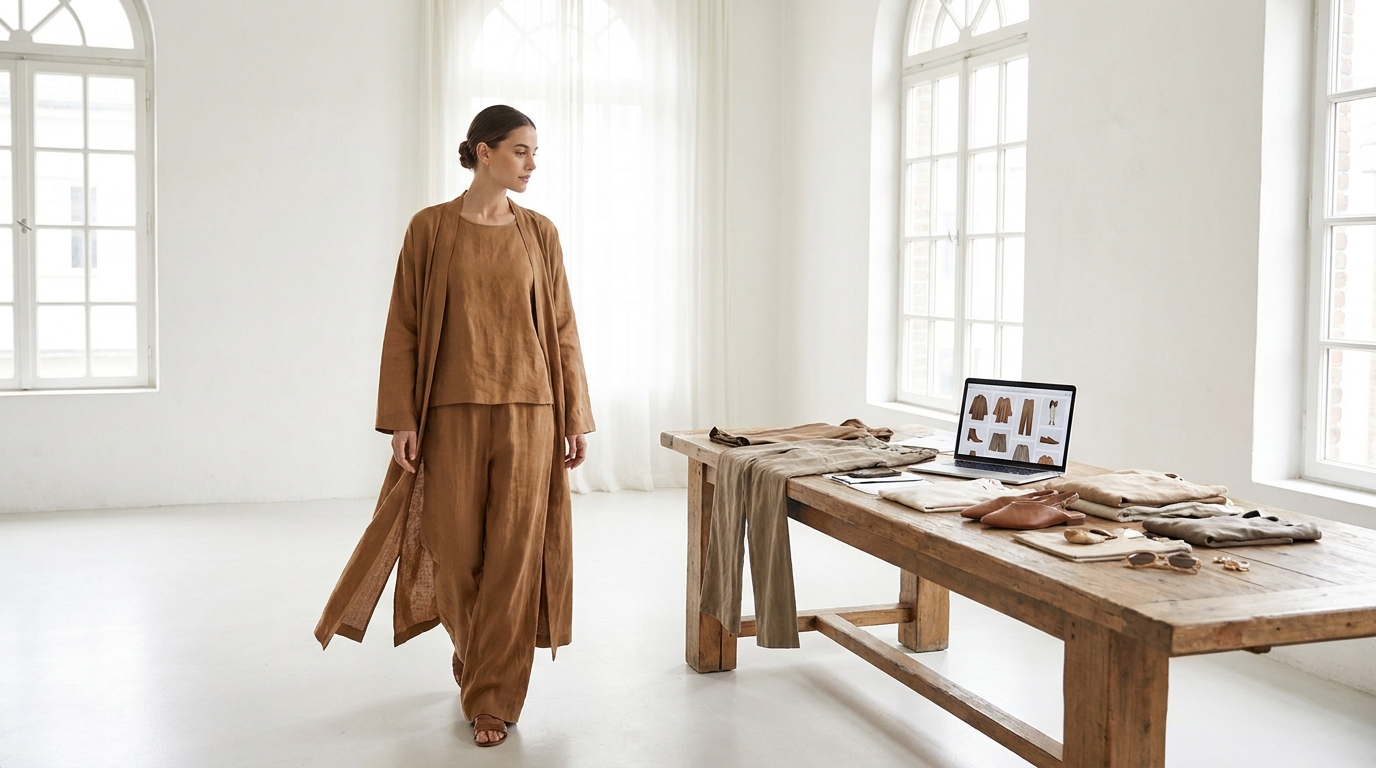
Running a fashion brand or e-commerce store means dealing with a constant, undeniable truth: your visuals are your storefront. When a customer lands on your product page, they cannot touch the fabric, check the stitching, or try the garment on. They rely entirely on your photography to make a purchasing decision. For years, this meant brands had to choose between two imperfect options. You could use flat lays or ghost mannequins, which are cost-effective but often fail to show how a garment truly drapes and fits on a real body. Or, you could organize on-model photoshoots, which provide excellent conversion rates but come with a heavy logistical burden and high costs.
Today, modern technology bridges the gap between the affordability of flat lays and the high conversion power of lifestyle photography. By using an ai fashion model generator, you can take a simple photo of a piece of clothing and instantly transform it into a professional, on-model image. Platforms like GetModels.AI—operated by BuildAndBuild OÜ in Estonia—offer this solution, meaning no studio rentals, no scheduling conflicts, and no expensive camera gear are required.
In this guide, we will walk you through the exact process of turning a basic garment photo into a stunning on-model shot. Whether you are launching a new seasonal collection or simply trying to refresh the visuals on your existing product pages, you will learn how to prepare your images, choose the right virtual models, and generate photography that elevates your brand.
The Shift from Traditional Shoots to Virtual Modeling
To understand the value of virtual fashion photography, it helps to look at what goes into a traditional photoshoot. Producing high-quality e-commerce imagery usually involves hiring a photographer, booking a studio space, sourcing models, bringing in hair and makeup artists, and spending hours on post-production editing. Even for a small collection, the costs quickly add up, and the timeline from shooting to launching can take weeks.
Virtual modeling flips this process on its head. Instead of organizing a massive production, an ai fashion model generator allows you to create images on demand. You can generate a new product photo in roughly 30 seconds. This speed and flexibility mean you can launch products faster, test different looks, and keep your website feeling fresh without waiting for the next big photoshoot budget to be approved.
Furthermore, virtual models offer a level of consistency that is hard to achieve in the real world. If you want your entire winter catalog to feature the same model for brand consistency, you can simply reuse that specific virtual model across all your campaigns. The models are entirely AI-generated, meaning they are not real people, which simplifies usage rights and allows for unrestricted commercial use.
Preparing Your Garment Photos (The Input)
The journey from a basic clothing shot to a high-end fashion image starts with the input. The better your starting material, the better the final result will be. Fortunately, modern tools are incredibly forgiving and versatile.
When you use a platform like GetModels.AI, you have multiple options for your input image. You can use a flat lay (where the garment is laid flat on a surface), a ghost mannequin shot, a photo of the garment on a hanger, or even an existing product photo. Ghost mannequin shots are particularly effective because they already give the AI a clear understanding of the garment's three-dimensional volume, making the transition to a virtual human body incredibly smooth. If your product is already live on your website, you can simply paste the product page link, and the system will pull the image for you.
The platform supports a wide variety of standard garment types. You can generate on-model photos for t-shirts, shirts, sweatshirts, jackets, dresses, skirts, pants, and shorts. You can also upload both front and optional back photos of the garment to ensure customers get a 360-degree understanding of the fit.
While the AI is powerful, a few simple preparation tips will help you get the best possible outcome:
- Ensure clear lighting: The colors in your input photo should be as close to real life as possible. Avoid harsh shadows or colored lighting that might distort the fabric's true hue.
- Keep the garment neat: Iron or steam your clothing before taking the flat lay or hanger shot. While the AI will map the garment onto a body, deep wrinkles in the input photo might carry over into the final image.
- Use a contrasting background: If you are shooting a flat lay on your phone, place the garment on a background that contrasts with the fabric color. This helps the system easily isolate the clothing from the background.
Step-by-Step: Using an AI Fashion Model Generator
Once your garment photos are ready, the actual process of generating on-model imagery is straightforward. Here is how you move from a flat lay to a finished, ready-to-publish photograph.
Step 1: Uploading Your Image or Link
Start by uploading your prepared flat lay, ghost mannequin, or hanger photo into the platform. Alternatively, paste the URL of your product page. The interface is designed to be user-friendly and accessible, with the platform available in English, German, Spanish, French, and Portuguese, ensuring a smooth workflow for international teams.
Step 2: Choosing the Right AI Model
One of the most powerful features of virtual fashion photography is the ability to carefully curate the face of your brand. You will browse through a curated roster of AI models across different ages, genders, and ethnicities. Think about your target audience and the demographic you want to reach. You can select a model that perfectly aligns with your customer base. Because you can reuse the same model across different campaigns, you can build a recognizable brand identity without worrying about a real model's future availability or changing appearance.
Step 3: Selecting Poses and Formats
Next, you need to decide how you want the model to interact with the camera and the environment. You can choose from various poses, such as standing, sitting, or walking. Choosing the right pose is essential for highlighting the specific features of your garment. For example, a sitting pose might beautifully showcase the drape of a long skirt, while a walking pose adds dynamic movement to a tailored jacket.
You will also select your aspect ratio. Choose the 3:4 portrait format if you are generating images primarily for your e-commerce product pages or mobile-first social media platforms. If you need images for website banners, email headers, or desktop hero images, the 16:9 landscape format is the ideal choice.
Step 4: Picking a Style and Background
This is where the magic happens. You are not just putting clothes on a model; you are art directing a photoshoot. The lighting and background play a massive role in how a customer perceives the value of your clothing. The generator offers several distinct photography styles:
- Studio: Clean, crisp, and distraction-free. Perfect for the main image on a product page where the focus must remain entirely on the garment.
- Editorial: High-fashion, magazine-style aesthetics with dramatic lighting and artistic framing.
- Commercial: Shot on location in realistic environments to show the clothing in everyday life.
- Social Media: This style mimics authentic, phone-style posts. It includes vibes like Polaroid/analog cameras or golden hour lighting. Crucially, when you choose the Social media style, the platform generates a ready-to-post caption for each image in your chosen language, saving your marketing team even more time.
Best Practices for E-commerce and Social Media
To get the most out of your generated images, it is best to mix and match styles across your marketing channels. A customer's journey usually spans multiple touchpoints, and seeing the garment in different contexts helps build desire and trust.
Here is a quick breakdown of how to deploy different styles across your brand's ecosystem:
| Photography Style | Visual Characteristics | Best E-commerce Use Case |
|---|---|---|
| Studio | Clean backgrounds, neutral lighting, high focus on garment details. | Primary product page images, catalog grids, Google Shopping feeds. |
| Commercial | On-location, realistic environments, relatable lifestyle settings. | Secondary product page images, email marketing campaigns, website banners. |
| Editorial | Artistic, dramatic lighting, high-fashion mood. | Homepage hero images, lookbooks, brand awareness advertising. |
| Social Media | Authentic phone-style, analog vibes, golden hour lighting. | Instagram, TikTok, Facebook posts, influencer-style marketing. |
By utilizing the Social media style, you can maintain an active, engaging presence on platforms without needing constant content shoots. The included ready-to-post captions mean you can literally generate an image and have it live on your social feed minutes later.
Understanding Costs and Output Quality
When adopting new technology, e-commerce managers need to know exactly what they are getting and how much it impacts the bottom line. The output quality is designed specifically for professional use. All generated images are available as 2K resolution downloads. There are no watermarks on the final images, and commercial use is fully allowed, meaning you own the rights to use these images anywhere in your marketing funnel.
Because the platform does not yet offer video generation or rely on complex integrations and plugins—such as a direct Shopify app—there is no complicated setup process. You simply generate your images, download the high-resolution files, and manually upload them to your e-commerce platform or social media scheduler just as you would with traditional photography.
The cost structure is transparent and highly competitive compared to traditional photography. Generating an image costs 10 credits. For growing brands, the Pro plan is €25/month and includes 750 credits. For larger catalogs or agencies, the Max plan is €100/month and provides 4000 credits. If you have a particularly busy month, extra credits can be added at any time, and you can cancel your subscription anytime without long-term lock-ins. You can review the full details on their pricing page.
Conclusion
The visual demands of modern e-commerce are higher than ever, but the barriers to creating incredible photography have never been lower. By utilizing an ai fashion model generator, brands can bypass the logistical headaches and high costs of traditional photoshoots. You can take a simple flat lay, ghost mannequin, or hanger photo and turn it into a high-resolution, on-model lifestyle image in seconds.
With diverse model rosters, flexible styling options ranging from crisp studio shots to authentic social media vibes, and a straightforward, cost-effective pricing model, there is no reason to settle for flat, uninspiring product pages. Ready to elevate your brand's visuals and see your garments on professional virtual models? You can try GetModels.AI today and transform your e-commerce photography workflow.
Frequently asked questions
Can I use an AI fashion model generator for any type of clothing?
You can generate on-model photos for a wide variety of garments, including t-shirts, shirts, sweatshirts, jackets, dresses, skirts, pants, and shorts. You simply need a clear photo of the garment's front, and optionally the back, to get started.
Do I need a professional studio photo to use the generator?
No, you do not need professional studio photos. The generator works perfectly with flat lays, ghost mannequin shots, photos of clothes on a hanger, or even a link to an existing product page.
Are the generated models real people?
No, the models are entirely AI-generated and are not real people. This simplifies usage rights, allowing you to use the 2K resolution images for commercial purposes without any watermarks or complicated licensing agreements.
How much does it cost to generate AI fashion photos?
Pricing typically operates on a credit system, where one image costs a set number of credits. For example, GetModels.AI offers a Pro plan at €25/month for 750 credits and a Max plan at €100/month for 4000 credits, with each image using 10 credits.
Try GetModels.AI
Turn your garment photos into on-model images in minutes. No studio, models or photographer needed.